
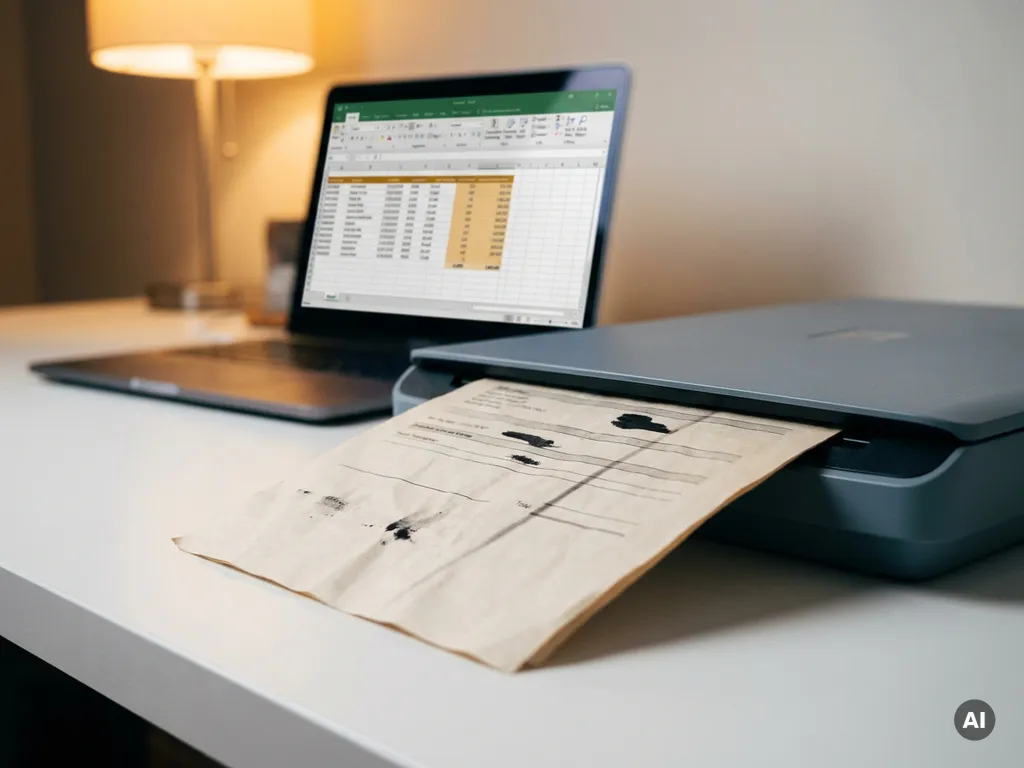
Scanned documents cause problems for data extraction because they convert text into images rather than machine-readable characters, forcing software to interpret visual information instead of reading structured data directly. This creates a fundamental gap between what a human eye can read and what a computer can reliably process. The sections below break down exactly why this happens and what you can do about it.
What makes scanned documents harder to process than digital files?
Scanned documents are harder to process than digital files because they store content as raster images, not as encoded text. A native PDF or Word document contains characters that software can read directly, while a scanned page is essentially a photograph of text. Every piece of information must be reconstructed from pixels, introducing uncertainty at every step of the data extraction process.
With a digital file, extraction software can locate a field, read its value, and move on. With a scanned document, the software must first determine where the text is, what orientation the page is in, what font is being used, and whether any visual noise is obscuring characters. This additional layer of interpretation multiplies the chances of error and significantly increases processing time.
The challenge compounds when documents contain mixed content such as tables, handwritten annotations, stamps, or logos. These elements are straightforward to identify visually but require sophisticated interpretation when the source is an image. Unstructured data within scanned documents is particularly difficult to standardize across large volumes, which is why document digitization projects often underestimate the complexity involved.
How does OCR work and why does it sometimes fail?
Optical Character Recognition, or OCR, works by analyzing an image pixel by pixel, identifying shapes that correspond to letters and numbers, and converting those shapes into machine-readable text. Modern OCR engines use pattern matching and increasingly machine learning models to recognize characters across different fonts, sizes, and orientations. When conditions are good, OCR is highly accurate. When they are not, errors accumulate quickly.
OCR fails for several predictable reasons:
- Low image resolution: Characters that appear clear to the human eye can become ambiguous blobs at low DPI, causing the engine to guess incorrectly between similar-looking letters such as “l”, “1”, and “I”.
- Skewed or rotated pages: Even a slight tilt can misalign the text baseline, confusing the engine’s line detection and breaking word boundaries.
- Background noise: Speckles, shadows, or faint watermarks interfere with character segmentation, leading to phantom characters or missed ones.
- Unusual fonts and handwriting: OCR engines are trained on common typefaces. Decorative fonts, italics, or cursive handwriting fall outside the training distribution and produce unreliable output.
- Language and special characters: Documents containing symbols, abbreviations, or domain-specific terminology that the engine has not been trained on generate higher error rates.
The result of OCR failure is not always an obvious blank field. More often, it is a subtly wrong value, a transposed digit, or a merged word that passes downstream validation checks and quietly corrupts your dataset.
What types of scanned documents cause the most extraction errors?
The document types that cause the most extraction errors are those that combine complex layouts with variable formatting and mixed content. Invoices, purchase orders, contracts, and handwritten forms consistently rank among the most problematic because their structure changes across vendors, time periods, and organizations, making it impossible to apply a single rigid template.
Specific document categories that generate disproportionate errors include:
- Multi-column layouts: Newspapers, academic papers, and brochures arrange text in columns that OCR engines frequently read in the wrong order, merging content from adjacent columns into a single garbled line.
- Tables and grids: Cell boundaries are visual constructs that do not translate cleanly into image data. Missing borders or merged cells often cause entire rows or columns to be misread.
- Handwritten forms: Even partially handwritten documents, such as signed contracts or annotated reports, introduce significant variability that standard OCR cannot reliably handle.
- Fax-quality documents: Documents that have been faxed, photocopied multiple times, or printed on poor-quality paper carry accumulated degradation that compounds OCR errors.
- Documents with stamps or overlays: Approval stamps, watermarks, and correction stickers physically obscure underlying text, making accurate extraction impossible without specialized preprocessing.
How do poor scan quality and formatting affect data accuracy?
Poor scan quality and inconsistent formatting directly reduce data accuracy by introducing noise that corrupts the OCR output before any extraction logic is applied. Even a well-designed extraction pipeline cannot compensate for source images that are too degraded to interpret reliably. The relationship between input quality and output accuracy is direct: better scans produce better data.
Formatting inconsistency creates a separate but equally damaging problem. When the same type of document, such as an invoice, arrives in dozens of different layouts, extraction rules built for one format fail silently on another. A date field in one template may appear where a reference number sits in another. Without layout-aware processing, the system extracts the wrong value from the right location or the right value from the wrong one.
The practical consequences for data quality include duplicated records, mismatched keys, failed validation checks, and downstream reporting errors that are expensive to trace back to their source. In high-volume document processing environments, even a small percentage of extraction errors translates into a substantial operational burden.
Can AI and machine learning improve scanned document extraction?
Yes, AI and machine learning meaningfully improve scanned document extraction by moving beyond rigid template matching toward models that learn to interpret layout, context, and content together. Rather than relying on fixed coordinates for each field, AI-powered extraction understands that a value labeled “Total Amount” is a financial figure regardless of where it appears on the page.
Modern approaches combine several techniques to raise accuracy:
- Computer vision preprocessing: AI models automatically correct skew, remove background noise, enhance contrast, and normalize resolution before OCR runs, improving the quality of the raw input.
- Layout-aware models: Transformer-based document models analyze the spatial relationship between text blocks, enabling them to correctly interpret tables, multi-column layouts, and nested structures.
- Named entity recognition: Natural language processing identifies what a piece of text represents, such as a date, an amount, or a company name, even when its position varies across documents.
- Continuous learning: Systems that incorporate human corrections into retraining loops improve over time, reducing error rates on the specific document types your organization processes most frequently.
The result is extraction accuracy that scales with volume rather than degrading under it, which is a meaningful shift for organizations processing thousands of documents per day.
What’s the best way to set up a reliable document extraction pipeline?
The best document extraction pipeline combines quality preprocessing, a robust OCR layer, AI-driven field recognition, and a structured validation step before data reaches any downstream system. Each stage addresses a different failure mode, and skipping any one of them allows errors to compound through the rest of the process.
A reliable pipeline typically follows this sequence:
- Image preprocessing: Correct orientation, remove noise, enhance contrast, and standardize resolution. This step has an outsized impact on everything that follows.
- OCR with confidence scoring: Run OCR and capture confidence scores for each recognized character or word. Low-confidence outputs flag fields for human review rather than passing bad data forward.
- Layout analysis: Identify document type and structure. This allows the system to apply the right extraction logic for invoices versus contracts versus forms.
- Field extraction and entity recognition: Use AI models to locate and classify the specific data points you need, independent of their position in the document.
- Validation and enrichment: Cross-check extracted values against known formats, reference data, or business rules. Reject or flag anomalies before they enter your database.
- Human-in-the-loop review: Route low-confidence or flagged documents to a review queue. Human corrections feed back into model improvement over time.
The investment in building this pipeline correctly pays off in data quality, reduced manual effort, and the confidence to automate decisions downstream based on extracted information.
How We Help with Scanned Document Data Extraction
At Bloom Group, we build document extraction solutions that address every layer of the problem described above. Our team of developers with backgrounds in AI, machine learning, and data engineering designs pipelines tailored to the specific document types and data quality requirements of your organization. Here is what working with us looks like in practice:
- Custom preprocessing: We configure image enhancement steps tuned to your actual document quality, not a generic baseline.
- AI-powered extraction models: We develop and train layout-aware models that handle the variability in your document portfolio, from invoices to contracts to handwritten forms.
- Validation logic built around your data: We design rules and checks that catch extraction errors before they reach your systems, reducing downstream correction costs.
- Continuous improvement loops: We set up feedback mechanisms so your pipeline gets more accurate over time as it processes more of your documents.
- Integration with your existing stack: Whether you work with cloud infrastructure, on-premise systems, or a hybrid setup, we connect the extraction pipeline to where your data needs to go.
If unreliable data extraction from scanned documents is slowing down your operations, we would be glad to show you what a purpose-built solution looks like. Explore our document parser or get in touch with our team to discuss your specific situation.
Frequently Asked Questions
How do I know if my current extraction errors are caused by scan quality or by my extraction logic?
The easiest way to diagnose this is to test the same document at different stages of your pipeline. If OCR confidence scores are consistently low before any extraction logic runs, the problem is upstream — scan quality, resolution, or preprocessing. If confidence scores are high but extracted field values are still wrong, the issue lies in your layout analysis or field recognition logic. Separating these two failure modes tells you exactly where to invest your improvement effort.
What DPI (dots per inch) should I scan documents at for reliable OCR results?
For standard printed text, 300 DPI is the widely accepted minimum for reliable OCR accuracy. If your documents contain small fonts, fine print, or detailed tables, scanning at 400–600 DPI will meaningfully reduce character recognition errors. Scanning above 600 DPI rarely improves accuracy further but significantly increases file size and processing time, so it is generally not worth the trade-off unless you are dealing with unusually degraded source documents.
What's the most common mistake organizations make when setting up a scanned document extraction process for the first time?
The most common mistake is building the pipeline around a single, clean sample document and assuming it will generalize. Real document portfolios contain variations in layout, scan quality, paper type, and content that a single template cannot cover. Organizations that skip a thorough audit of their actual document variety before designing their pipeline almost always face a costly redesign once edge cases start producing errors at volume. Always test against a representative sample of at least 50–100 real documents before committing to an architecture.
Is it possible to extract data reliably from partially handwritten documents, or do those always require manual entry?
Partially handwritten documents can be processed reliably, but they require a hybrid approach. Printed sections can be handled by standard OCR with high accuracy, while handwritten fields benefit from specialized Handwritten Text Recognition (HTR) models trained on similar handwriting styles. For fields where handwriting variability is too high — such as free-form comments or signatures — routing those specific fields to a human review queue while automating everything else is a practical and cost-effective middle ground that avoids making manual entry the default for the entire document.
How should I handle documents that arrive in multiple languages or contain mixed-language content?
Most modern OCR engines support multilingual recognition, but you need to configure the language model explicitly rather than relying on auto-detection, which can misidentify languages in short text blocks. For mixed-language documents, running language detection at the text-block level before applying OCR produces better results than applying a single language setting to the whole page. If your document portfolio spans many languages, it is worth auditing which languages appear most frequently and ensuring your extraction models are trained or fine-tuned on representative samples from each.
At what document volume does it make sense to invest in an AI-powered extraction pipeline versus manual data entry?
A useful rule of thumb is that if your team is processing more than 200–300 documents per month with consistent field extraction requirements, the cumulative cost of manual entry — including labor, error correction, and processing delays — typically justifies the investment in an automated pipeline within 6 to 12 months. Below that volume, a lighter solution such as a configurable off-the-shelf tool may be sufficient. The calculation also shifts significantly if your documents are time-sensitive, since automation provides speed benefits that compound independently of volume.
How do I measure whether my document extraction pipeline is actually improving over time?
Track three core metrics consistently: field-level accuracy (the percentage of individual extracted values that match the ground truth), straight-through processing rate (the percentage of documents that complete extraction without requiring human review), and error correction volume (the number of manual corrections made per 100 documents). Reviewing these metrics monthly against a fixed benchmark dataset — a set of documents with known correct values — gives you an objective view of whether model retraining and pipeline updates are delivering measurable gains or simply shifting errors between fields.