
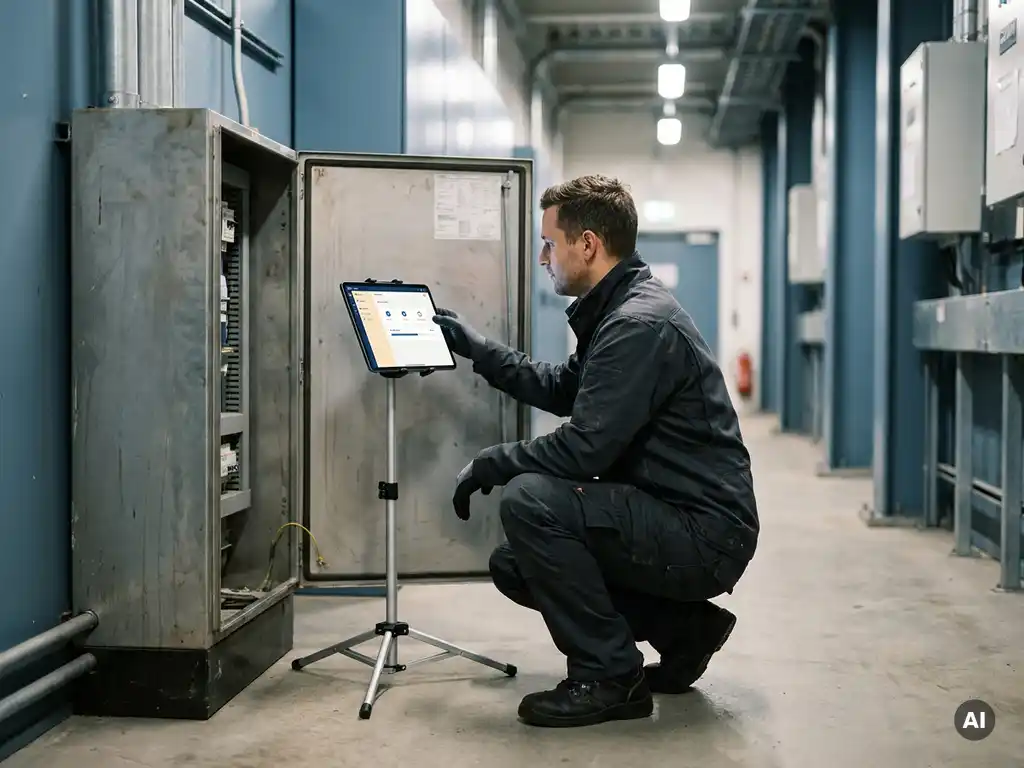
An installer application can significantly reduce repeat site visits by giving field engineers the tools to capture complete data, run remote diagnostics, and communicate in real time during the first visit. When technicians arrive on site with the right information and leave with a fully documented job record, the need to return drops sharply. The sections below explore exactly how this works across data capture, remote support, reporting, and team coordination.
What causes repeat site visits in installation work?
Repeat site visits in installation work are most commonly caused by incomplete information, poor communication between field and office teams, and insufficient data capture during the initial job. When a technician arrives without full asset history, leaves before a fault is fully diagnosed, or submits an incomplete job report, a follow-up visit becomes almost inevitable.
The most frequent triggers include:
- Missing documentation: Technicians arrive without access to previous service records, wiring diagrams, or equipment specifications.
- Incomplete fault diagnosis: A problem is partially resolved on site, but the root cause is not identified, so the issue resurfaces.
- Parts not ordered in time: The wrong component is brought to site because the fault was not properly assessed beforehand.
- Poor handover between shifts or engineers: A second engineer repeats work already done because notes were not captured or shared.
- Failed sign-off: Jobs are closed without customer confirmation, leading to disputes and return visits to re-demonstrate completed work.
Each of these causes shares a common thread: information gaps. Field service software that addresses those gaps at every stage of the job lifecycle is the most direct route to fewer callbacks.
How does an installer application capture data on the first visit?
An installer application captures data on the first visit by providing structured digital forms, barcode or QR code scanning, photo and video capture, and real-time sync to a central system. Engineers complete a guided workflow on a mobile device, ensuring every required field is filled before the job can be closed, which eliminates the gaps that lead to return visits.
Practical data capture features typically include:
- Asset registration: Scanning serial numbers or QR codes to instantly link equipment to a job record without manual entry errors.
- Photographic evidence: Before-and-after images of the installation, attached directly to the job, with timestamps and location metadata.
- Guided checklists: Step-by-step task lists that reflect the specific job type, preventing engineers from skipping mandatory checks.
- Customer sign-off: Digital signatures captured on site and stored against the job record, reducing disputes later.
- Meter readings and measurements: Numerical inputs validated against acceptable ranges, flagging anomalies before the engineer leaves.
The key difference between a paper-based approach and a digital installer app is that the application enforces completeness. A form left blank on paper goes unnoticed until someone reviews it in the office, often days later. A digital workflow prevents job closure until all required fields are populated, making first-visit data capture a structural guarantee rather than a matter of individual discipline.
Can an installer app enable remote diagnostics instead of a return visit?
Yes, an installer app can enable remote diagnostics by connecting field engineers to office-based specialists through live video, shared job data, and integrated asset history. Instead of booking a second visit when a fault exceeds an engineer’s expertise, the app allows a remote expert to observe the site in real time and guide the on-site technician to a resolution during the original callout.
Remote diagnostics through field service software typically work in two ways:
Live remote assistance
The on-site engineer uses the app to share a live camera feed with a senior technician or manufacturer’s support team. The remote expert can annotate the screen, highlight components, and walk the engineer through diagnostic steps. This turns a single engineer’s visit into a two-expert consultation without the cost or delay of a second physical presence.
Automated fault matching
Some installer applications compare the fault codes or symptoms entered on site against a library of known issues and resolutions. If a matching resolution exists, it surfaces immediately within the app, giving the engineer the information needed to resolve the fault before leaving. This approach reduces reliance on individual experience and makes institutional knowledge available to every engineer in the field.
Both approaches reduce callbacks by resolving complexity on the first visit rather than escalating it into a scheduled return.
What role does automated reporting play in reducing callbacks?
Automated reporting reduces callbacks by ensuring that every completed job generates an accurate, timestamped record that is immediately available to office teams, customers, and future engineers. When reports are generated automatically from the data captured on site, there is no delay, no transcription error, and no ambiguity about what was done, which prevents misunderstandings that would otherwise trigger a return visit.
The practical impact of automated reporting includes:
- Instant job closure confirmation: Customers receive a report as soon as the engineer marks the job complete, reducing the chance of disputed work.
- Accurate parts and warranty records: Automatically logged components mean future engineers know exactly what was installed and when, without needing to revisit to inspect.
- Compliance documentation: In regulated industries, automated reports ensure certificates and test results are filed correctly the first time, avoiding repeat inspections.
- Trend identification: Office teams can analyse report data across multiple jobs to identify recurring faults at specific sites or with specific equipment, enabling proactive maintenance before a callback is needed.
Manual reporting, by contrast, introduces a gap between job completion and documentation. Engineers completing paperwork at the end of a day, or submitting handwritten notes to an office team, create opportunities for omission and error. Automated reporting closes that gap entirely.
How do installer apps improve coordination between field and office teams?
Installer apps improve coordination between field and office teams by creating a shared, real-time view of every job’s status, location, and data. Office teams can see exactly what an engineer has captured on site, reassign jobs dynamically, dispatch parts before the engineer even requests them, and escalate issues without waiting for end-of-day reports.
Key coordination improvements include:
- Live job tracking: Managers see which jobs are in progress, which are complete, and which have flagged issues, without calling the engineer.
- Instant messaging within the job record: Communication is attached to the relevant job rather than lost in email threads or phone calls, so context is never missing.
- Dynamic scheduling: If an engineer finishes early or a higher-priority job emerges, dispatchers can reassign in real time through the same platform the engineer is already using.
- Parts and inventory integration: When an engineer identifies a required component on site, the app can trigger a parts order or confirm stock availability without a separate phone call to the warehouse.
Poor coordination between field and office is one of the most common reasons a second visit is needed. An engineer who cannot get an answer from the office about a technical query, or who is waiting for parts that have not been ordered, will leave site without completing the job. Installation management software that keeps both sides of the operation in constant sync removes that friction entirely.
Which types of businesses benefit most from installer applications?
Businesses that benefit most from installer applications are those running high volumes of field-based installation or maintenance jobs where first-time fix rates directly affect profitability and customer satisfaction. This includes utilities, telecoms, HVAC, electrical contractors, industrial equipment suppliers, and any organisation managing a large field workforce across multiple sites.
The strongest return on investment tends to appear in businesses where:
- Each site visit carries a significant cost in travel, labour, or compliance requirements
- Jobs involve complex equipment with detailed documentation requirements
- Engineers work across geographically dispersed locations without easy access to office support
- Regulatory compliance demands accurate, timestamped records of every installation
- Customer contracts include service level agreements with penalties for repeat visits or slow resolution
Mid-sized and large enterprises in sectors such as manufacturing, logistics, and financial services infrastructure also see strong gains, particularly when managing third-party contractor networks where quality control is harder to enforce without a shared digital platform.
How Bloom Group helps reduce repeat site visits
We build custom installer applications designed around the specific workflows, compliance requirements, and field conditions of your organisation. Rather than adapting your processes to fit an off-the-shelf tool, we design the application to fit your operations from the ground up. Our team of engineers, with academic backgrounds in Computer Science, AI, and Mathematics, develops solutions that integrate data capture, remote diagnostics, automated reporting, and real-time coordination into a single platform your field teams will actually use.
What we deliver includes:
- Fully custom mobile and web applications built for your job types and asset categories
- Integration with your existing ERP, CRM, or inventory systems
- Guided digital workflows that enforce first-visit completeness
- Remote diagnostics features tailored to your technical environment
- Automated reporting aligned with your compliance and customer documentation needs
- Ongoing product management and iteration as your field operations evolve
If reducing callbacks, improving first-time fix rates, and giving your office teams real visibility over field operations is a priority for 2026, we would welcome the conversation. Explore our installer application services or get in touch directly to discuss what a custom solution could look like for your business.
Frequently Asked Questions
How long does it typically take to see a reduction in repeat site visits after implementing an installer application?
Most organisations begin to see measurable improvements in first-time fix rates within the first 60 to 90 days of deployment, once engineers are comfortable with the digital workflows and data capture processes. The speed of improvement depends on how consistently the application is adopted across the field team — businesses that pair the rollout with structured onboarding and manager oversight tend to see faster results. Full ROI, including reductions in travel costs, labour hours, and SLA penalties, is typically visible within the first two to three billing cycles.
What if our engineers work in areas with poor or no mobile connectivity — will the app still function?
A well-built installer application should include offline functionality that allows engineers to complete forms, capture photos, scan asset codes, and record all job data without an active internet connection. The data is stored locally on the device and synced automatically to the central system as soon as connectivity is restored. When evaluating any installer app — custom or off-the-shelf — confirming robust offline capability is essential, particularly for engineers working in basements, rural areas, or industrial sites with restricted network access.
How do we handle engineers who are resistant to switching from paper-based processes to a digital app?
Resistance to digital adoption is most commonly rooted in poor UX design — if the app is harder to use than paper, engineers will find workarounds. The most effective approach is to involve field engineers in the design or configuration process early, so the workflows reflect how they actually work rather than how office teams assume they work. Phased rollouts, peer champions within the field team, and clear communication about how the tool benefits the engineer directly (not just the business) all significantly reduce resistance and accelerate adoption.
Can an installer application integrate with the ERP or CRM systems we already use?
Yes — a custom-built installer application can be designed to integrate directly with your existing ERP, CRM, inventory management, or asset tracking systems via APIs or direct database connections. This means job data, parts orders, customer records, and compliance documentation flow between systems automatically, eliminating duplicate data entry and the errors that come with it. When scoping any integration, it is worth auditing which data needs to move in which direction and at what frequency, as this shapes both the technical architecture and the ongoing maintenance requirements.
What is the difference between a custom installer application and an off-the-shelf field service management tool?
Off-the-shelf field service tools are built around generalised workflows designed to work for a broad range of industries, which means you often need to adapt your processes to fit the software rather than the other way around. A custom installer application is built specifically around your job types, asset categories, compliance requirements, and team structure, which results in higher adoption rates and fewer workarounds. The trade-off is a longer initial build time, but for businesses with complex, regulated, or high-volume field operations, the long-term efficiency gains and lower callback rates typically outweigh the upfront investment.
How should we measure whether our installer application is actually reducing callbacks?
The most direct metrics to track are first-time fix rate (the percentage of jobs resolved without a return visit), average number of site visits per job, and callback rate by engineer, job type, or site. Before deployment, establish a baseline for each of these figures so you have a clear point of comparison. Secondary indicators such as customer satisfaction scores, average job completion time, and parts ordering accuracy will also reflect improvements driven by better data capture and coordination, giving you a fuller picture of the application’s impact.
Is a custom installer application a realistic option for a mid-sized business, or is it only viable for large enterprises?
Custom installer applications are increasingly viable for mid-sized businesses, particularly those where a high proportion of revenue depends on field operations and where off-the-shelf tools have consistently fallen short of operational needs. The key question is not company size but job complexity and volume — a mid-sized electrical contractor running 200 jobs per month with strict compliance requirements will often see stronger ROI from a custom solution than a large enterprise running simpler, lower-stakes installations. A scoping conversation with a development partner can quickly clarify whether the investment is proportionate to the operational problem being solved.